When System Five is importing invoices from XO Lights integration, and you receive a popup saying " Available Stock is now 0.00" on some, or every item being imported.
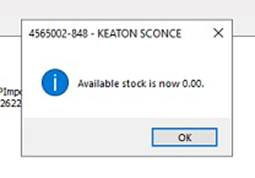
The issue is a setting in the System Five Setup Wizard.
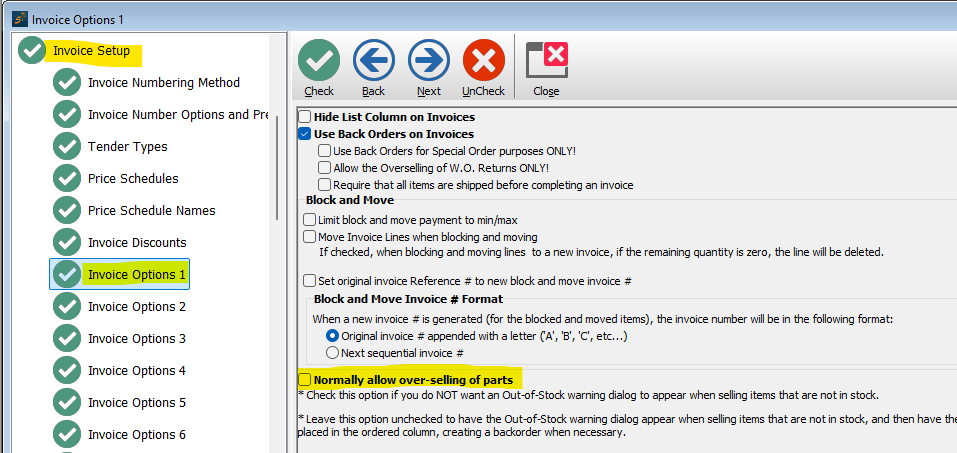
The setting that needs to be changed is under Invoice Setup - Invoice Options 2.
Put a check mark in the check box next to “[30] Turn off out of stock warning when selling items”.
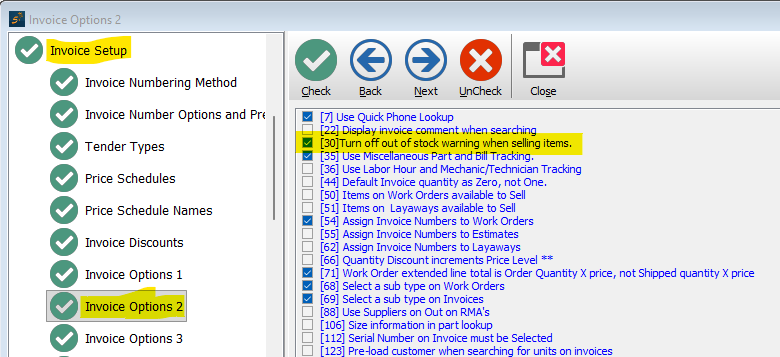
This will prevent that out of stock warning popup for every item and will allow the XO Lights invoices to import without any user interraction.
*** WARNING ***
DO NOT check the box for "Normally allow over-selling of parts". This will prevent users from seeing the Backorder/Oversell/Sell Available popup that they need to see when flipping an Estimate to a Workorder.