Need help figuring out where to find your System Five and Database Version?
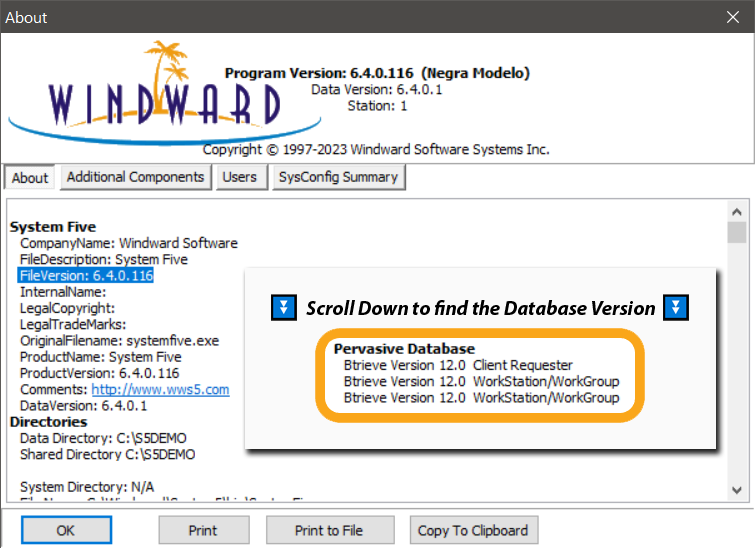
To find your Windward System Five version:
- Open the software and navigate to the Help menu
- Then select About.
- This window displays both the application version and database version.
- The Program Version is listed at the top
- You may have to scroll down to get to the Database Version
Please refer to the image below to find your System Five Version:
Key Locations to Check Versions:
- System Five Application: Click Help > About within the main software interface.
- How to check version of POS Device Manager
- How to check your Remote Desktop Version
- How to Check Your Zen/PSQL database Version on SYSTEM5