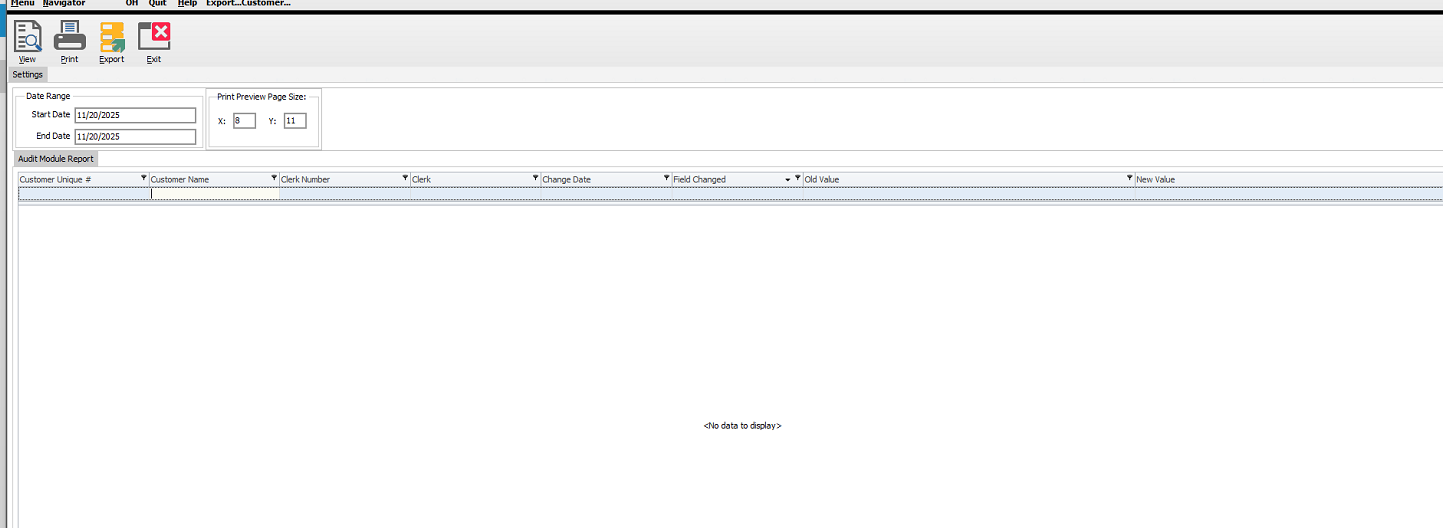
Version 7.0.3.109 and above has a new feature where you can turn on an auditing function in System 5 that reports any changes made in customer data.
To turn on this feature, you can go to :
- Setup Tools
- Setup Wizard
- Special Modules
- SystemFive Auditing
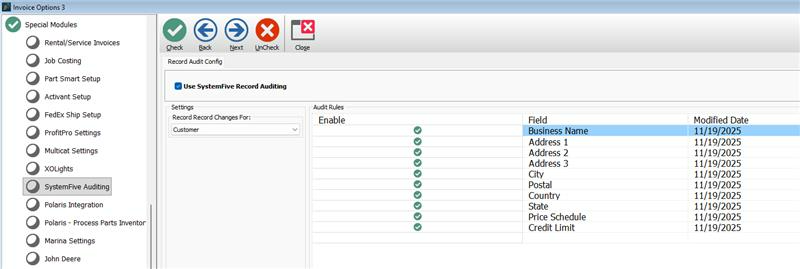
- Tick the boxes that you want to show on the said audit report then close
To run the report, you can go to:
- Go to Navigator
- Reports
- Security and Audit Reports

- You can select which report you need
- Set start date to a day before and end date to a future date then click View.