Early payment discounts are a discount printed on the invoice or statement stating that if the invoice or statement is paid by a given date, the customer is entitled to a discount and is to pay the following amount.
Early payment discounts apply to the after-tax amount. Most tax laws state that if a discount is applied after the invoice was issued, the full taxes are due.
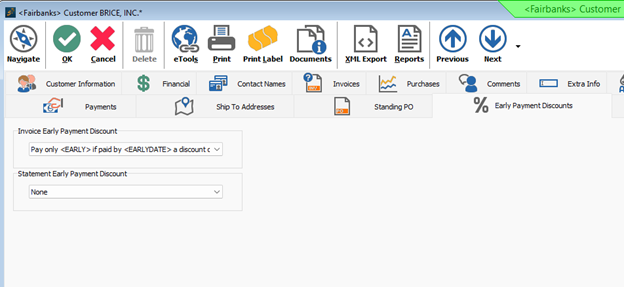
Each customer must be set to allow an early payment discount on Invoices and /or statements and which formula to use. System Five allows any of the following three formulas
- % discount if paid within # days
- % discount if paid by the # day of the month
- % discount if paid by the # day of the next Month
System Five does not do any checking to see if the early discount is applicable when the invoice is paid. It is up to the clerk entering the payments to determine this.
See this link for complete documentation.
The following videos are about its use and setup.
EARLY PAYMENT DISCOUNT – Simple setup. - added 2025/12/11 - brett
Create the Early Payment discount in Setup

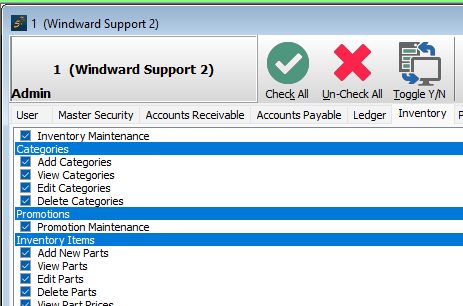
Ensure you have the ability to work with Inventory Categories in user setup.
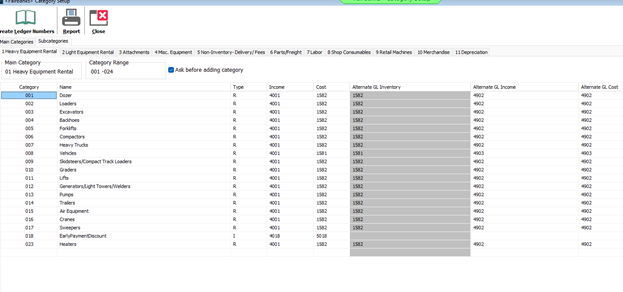
Add a subcategory for Early Payment Discount, I put it under Heavy Equipment Rental in this case.
Assign early payment discount to customer(s)
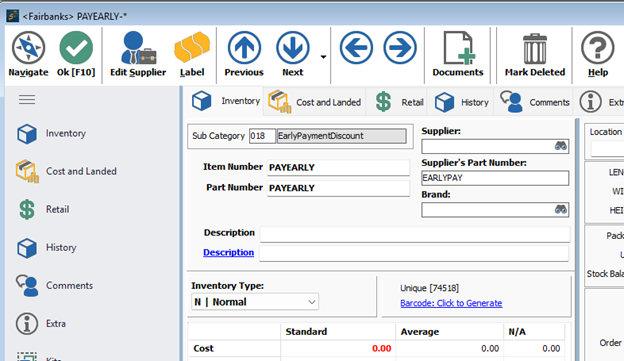
Add a new part with your subcategory called “PAYEARLY”